












Now available on Windows NT and Digital UNIX.
How do I get started with AltaVista Tunnel?
Download AltaVista Tunnel and try it out!
What components are actually needed to replace a private WAN?
In addition to two AltaVista Tunnel Group Editions, a connection to the Internet from each LAN is required.
This normally requires a router and a data circuit to an Internet Service Provider (ISP). This replaces the
leased lines and associated costs.
What's the difference between AltaVista Tunnel technology and the technology offered by firewall vendors?
The AltaVista solution offers a more flexible way to build a VPN than other vendors. Most VPNs only
allow secure network-to-network connections. AltaVista Tunnel allows both network-to-network and PC-to-Network
connections. This means that telecommuters and frequent travelers can gain secure access anytime,
anywhere from home or on the road. Firewall vendors that support tunneling require the use of their firewalls
at both ends of the encrypted link, which can be time and cost prohibitive. The AltaVista Tunnel's firewall
independent design allows it to work with virtually any firewall, thus enabling total flexibility and dynamic
creation of VPNs among partners and remote offices.
What encryption technology is used in AltaVista Tunnel?
AltaVista Tunnel uses RSA's powerful 512-bit public key exchange technology to achieve mutual authentication
between tunnel participants. After authenticating, the tunnel automatically switches to RSA's high
performance RC4 128-bit secret key encryption and seals all data into secured cryptographic packets.
These are then sent across the Internet as unreadable and unrecognizable data. Upon arrival at their
final destination, the sealed packets are decrypted into a readable form and sent on their way across the
private network. The international version of the tunnel supports a 40-bit RC4 key and transparently
reconciles the difference between domestic and international keys, enabling secure communications worldwide.
As an added security enhancement AltaVista Tunnel automatically and transparently exchanges new encryption
keys among Tunnel parties every 30 minutes.
Does AltaVista Tunnel ensure the integrity of data packets passed via the Internet?
The tunnel uses RSA's powerful MD5 technology to automatically and transparently performs a cryptographic
integrity check on each data packet to ensure the data has not been tampered with during transmission.
Will the AltaVista Tunnel Personal Edition still work if it has to cross a local firewall before entering
the Internet?
Yes, AltaVista Tunnel's design and easy-to-use GUI simplifies this task by providing a setup parameter in
which one can simply specify the outgoing firewall's address. In some cases policy of the local network may
have to be modified to allow tunnel traffic to exit that local network. Firewalls based on packet filtering
or circuit filtering technology need to only enable the rule to let the traffic pass. If the firewall uses
non-transparent application proxy technology, the tunnel client must address the local firewall first, then
the remote firewall.
When using an AltaVista Tunnel Personal Edition connection from one network to a trusted network, is any
routing information exchanged between the two networks?
No. The Personal Edition will have two IP addresses. One will be based on the network that a PC using
Windows 95 or Windows NT is directly connected to and the other will be a virtual address assigned by
the Tunnel Workgroup Edition. No routing is enabled in the PC to provide a back door for others on the
PC's connected LAN into the virtual trusted LAN.
|
|

|
AltaVista Tunnel 97: Roam Freely - Connect Securely
 Put a firewall's lock on your intranet, and take a key with you: that's AltaVista Tunnel 97. Use the Internet to your own advantage with secure, remote intranet access through your firewall - from anywhere in the connected world.
Support for Many Many Concurrent Connections!
AltaVista Tunnel 97 supports up to 200 concurrent connections on Windows NT! It means support for many more PCs since not all clients are connected at a time in typical configurations. This is a great feature that many customers are looking for in their Virtual Private Network implementation.
Support for Windows NT on Alpha
In addition to Windows NT on Intel, AltaVista Tunnel 97 now supports Windows NT on Alpha for screaming performances.
Enhanced Management
With AltaVista Tunnel 97, system administrators can now see the tunnel statuses (e.g. authorizing, connecting, running, etc.). From the same GUI, they can also look at various counters such as read and write for a closer and more efficient monitoring of tunnel configurations.
Closer integration with Windows NT
This version contains many enhancements to increase performance of tunnel connections and make them more reliable. This is accomplished by a close integration with Windows NT and through various improvements. As an example, the tunnel software now reacts cleverly to network disconnects and server-to-server connections automatically attempt to re-establish the tunnel link after a network failure.
International Strong Encryption
FLASH- FLASH- FLASH- FLASH- FLASH- FLASH- FLASH- FLASH- FLASH- FLASH
"January 28, 1997 - Ian Goldberg, a UC Berkeley graduate student, announced today that he had successfully cracked RSA Data Security Inc.'s 40-bit challenge cipher in just under 3.5 hours."
FLASH- FLASH- FLASH- FLASH- FLASH- FLASH- FLASH- FLASH- FLASH- FLASH
"April 1997" AltaVista releases a new version of Tunnel 97 which offers an exportable, full 56-bit encryption product in addition to its 128 bit US version. Jointly with Digital Equipment Corporation and after a long application filing process, AltaVista has been granted the right to ship a "strong encryption" product by the U.S. Under Secretary of Commerce.
40bit vs. 56bit. Which difference do 16 bits make when protecting crucial corporate assets?
For Internet commerce, this 40-bit technology is completely obsolete. This is however what all security vendors propose today in this domain for non-proprietary secure communications over the Internet (including MicroSoft PPTP, CheckPoint and Raptor.) AltaVista therefore leads the pack by providing a unique security solution for global Internet connectivity.
56 bit encryption is not 16 times more efficient than a 40 bit encryption, it is 2sq16 = 65,536 times more difficult to decrypt ! In other terms, where it takes 3.5 hours for a hacker to decrypt a 40 bit packet, it would require - with the same equipment - more than 26 years to decrypt the same datagram encrypted with a 56 bit engine!
Various encryption schemes such as RSA 40 bit, 56 bit and 128 bit do not complicate the system administration of the AltaVista Tunnel server. The server negotiates the selection of the encryption level to the least common denominator. As a result, server configurations can seamlessly handle any client requests. Network administrators interested in international encryption must upgrade their tunnel configuration to Tunnel 97 to make sure that all connections are RC4 56-bit encrypted.
What else? In addition to this strong RSA encryption, authentication and integrity provided by the AltaVista tunnel product, dynamic rekeying re-enforces security levels even further! The dynamic rekeying feature automatically and transparently changes the session key every 30 minutes. Thus, in the extremely unlikely case of a successful attack, a hacker will only be able to capture at most 30 minutes of data. Lastly, AltaVista tunnel is a proven technology that has been exposed to real network attacks for more than a year. Its architecture is very robust as opposed to other vendors using weak UDP datagrams, proprietary implementations or merely extending freeware solutions.
|
Type of Virtual Private Network (tunnel) |
UNIX
|
Windows NT
|
|
- Hardware and O/S |
Alpha Digital UNIX and BSD |
Intel and Alpha |
|
- Software |
Only |
Only |
|
- Scalability |
512 concurrent connections |
200 concurrent connections |
|
- Remote Access (PCs to LAN) |
Yes |
Yes |
|
- Business-to-business (LAN to LAN) |
Yes |
Yes |
|
- Clients |
Windows 95 Windows NT |
Windows 95 Windows NT |
|
Security |
UNIX
|
Windows NT
|
|
- Authentication |
Yes (RSA 512 bit) |
Yes (RSA 512 bit) |
|
- Encryption |
Yes (RSA 40, 56 & 128 bit) |
Yes (RSA 40, 56 & 128 bit) |
|
- Integrity |
Yes (MD5) |
Yes (MD5) |
|
- Dynamic Rekeying |
Yes (30mn) |
Yes (30mn) |
|
Independence |
UNIX
|
Windows NT
|
|
- ISP independent |
Yes |
Yes |
|
- Location independent (Dynamic IP addressing) |
Yes |
Yes |
|
- Firewall independent |
Yes |
Yes |
The AltaVista Tunnel allows you to use the public Internet as a secure, cost-effective extension or alternative to your private network.
There are two types of AltaVista Tunnel products offered: the Workgroup Edition and Personal Edition. The Personal Edition enables you to securely connect a client personal computer to a server in a private network via the Internet. In addition, the Workgroup Edition lets you connect two servers or two private networks to support confidential organization-to-organization communications.
Thus, there are two possible configurations:
- Workgroup Edition to Workgroup Edition configuration
- Workgroup Edition to Personal Edition configuration
Note that in both, one end point of the connection(s) must be a Workgroup Edition for tunnel authorization, authentication, and management.
The name AltaVista Tunnel, tunnel, or tunneling, will be used when referring to both the Personal and Workgroup Editions.
Tunneling
Tunneling in this application allows information to be securely passed between one computer and another over a public network as if the two were connected by a single physical wire. The process of sending information through tunnels is simple and straightforward. After authenticating the tunnel client and the tunnel server, information is encrypted by its sender, encapsulated into TCP/IP data packets, and sent across the Internet as unreadable and unrecognizable data. Once they reach their final destination, the packets are reconstituted, and decrypted into a readable form. Note that a system running the Workgroup or Personal Edition software may be a client, while only a system running the Workgroup Edition may be a server (tunnel management station).
Authentication and Encryption
The AltaVista Tunnel employs RSA Public Key Cryptosystem (512 bit) for authentication and session key exchange, and RSA RC4 Symmetric Stream Cipher for bulk data encryption. Cryptographic identity and keys are tied to the user, leaving the IP address free to be dynamically assigned. Once the authenticated tunnel session is created, the tunnel server and tunnel client automatically switch from public key encryption to RC4-based secret key encryption to perform bulk data encryption and transmission. At 30-minute intervals, the tunnel client and server pass new session keys back and forth to decode transmitted data. During data packet transmission, each packet is integrity protected and authenticated by MD5.
In conformance with federal export regulations, the U.S. version of the AltaVista Tunnel employs a 128-bit RC4 key, while the international version supports a 56-bit RC4 key. A 40-bit RCA key version is available for countries who require it.
When creating a multinational tunnel, automatic arbitration reconciles any encryption discrepancies transparently. This enables both the tunnel client and server to operate in the highest common encryption key mode supported.
This product is classified as "ITAR (International Traffic in Arms Regulations) Controlled." The usage and intent of this sensitive product shall therefore comply to any related export and import laws.
Firewall Independence
Most Internet-connected companies and organizations employ firewalls to protect the information on their private networks from Internet invaders. Because the AltaVista Tunnel uses encryption and authentication to protect that information as it is transmitted across the Internet, it is a natural complement to any firewall. However, a firewall is not a prerequisite for the AltaVista Tunnel which delivers a highly flexible firewall-independent solution. The AltaVista Tunnel Workgroup Edition can run on a system with the AltaVista Firewall or it can run on a separate system behind a firewall that protects it from the Internet.
Primary Components
AltaVista Tunnel Personal Edition for Windows 95
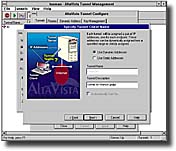
- Microsoft Windows 95 GUI-based tunnel setup and administration
- Windows 95 pseudo-adapter device driver
- Key Manager
- Online Help
- Native Windows 95 installation and tunnel management capabilities
AltaVista Tunnel Personal Edition for Windows NT
- Microsoft Windows NT GUI-based tunnel setup and administration
- Windows NT pseudo-adapter device driver
- Key Manager
- Online Help
- Native Windows NT installation and tunnel management capabilities
The Personal Edition is based on Microsoft's TCP/IP stack - an integral part of the Windows 95 and Windows NT operating systems
The AltaVista Tunnel allows you to use the public Internet as a secure, cost-effective extension or alternative to your private network.
There are two types of AltaVista Tunnel products offered: the Workgroup Edition and Personal Edition. The Personal Edition enables you to securely connect a client personal computer to a server in a private network via the Internet. The Workgroup Edition lets you connect two servers-or two private networks-to support confidential organization-to-organization communications. Thus, there are two possible configurations:
- Workgroup Edition to Workgroup Edition configuration
- Workgroup Edition to Personal Edition configuration
Note that in both, one end point of the connection(s) must be a Workgroup Edition for tunnel authorization, authentication, and management.The name AltaVista Tunnel, tunnel, or tunneling, will be used when referring to both the Personal and Workgroup Editions.
Tunneling
Tunneling in this application allows information to be securely passed between one computer and another over a public network as if the two were connected by a single physical wire. The process of sending information through tunnels is simple and straightforward. After authenticating the tunnel client and the tunnel server, information is encrypted by its sender, encapsulated into TCP/IP data packets, and sent across the Internet as unreadable and unrecognizable data. Once they reach their final destination, the packets are reconstituted, and decrypted into a readable form. Note that a system running the Workgroup or Personal Edition software may be a client, while only a system running the Workgroup Edition may be a server (tunnel management station).
Authentication and Encryption
The AltaVista Tunnel employs RSA Public Key Cryptosystem (512 bit) for authentication and session key exchange, and RSA RC4 Symmetric Stream Cipher for bulk data encryption. Cryptographic identity and keys are tied to the user, leaving the IP address free to be dynamically assigned. Once the authenticated tunnel session is created, the tunnel server and tunnel client automatically switch from public key encryption to RC4-based secret key encryption to perform bulk data encryption and transmission. At 30-minute intervals, the tunnel client and server pass new session keys back and forth to decode transmitted data. During data packet transmission, each packet is integrity protected and authenticated by MD5.
In conformance with federal export regulations, the U.S. version of the AltaVista Tunnel employs a 128-bit RC4 key, while the international version supports a 56-bit RC4 key. A 40-bit RCA key version is available for countries who require it.
When creating a multinational tunnel, automatic arbitration reconciles any encryption discrepancies transparently. This enables both the tunnel client and server to operate in the highest common encryption key mode supported.
This product is classified as "ITAR (International Traffic in Arms Regulations) Controlled." The usage and intent of this sensitive product shall therefore comply to any related export and import laws.
Firewall Independence
Most Internet-connected companies and organizations employ firewalls to protect the information on their private networks from Internet invaders. Because the AltaVista Tunnel uses encryption and authentication to protect that information as it is transmitted across the Internet, it is a natural complement to any firewall. However, a firewall is not a prerequisite for the AltaVista Tunnel which delivers a highly flexible firewall-independent solution. The AltaVista Tunnel Workgroup Edition can run on a system with the AltaVista Firewall or it can run on a separate system behind a firewall that protects it from the Internet.
Tunnel Management
AltaVista Tunnel Workgroup Edition's management features and interface simplify tunnel management and eliminate the need for a dedicated administrator. In a personal-to-group tunnel environment, tunnel management is performed by the Workgroup tunnel server. In a group-to-group or organization-to-organization environment, either one of the Workgroup tunnel servers can perform these management tasks:
- Connection authorization
- Public key generation and management (note)
- Tunnel parameter management
- Dynamic assignment to tunnel clients
- Tunnel-related routing change monitoring
- Tunnel deletion
(note) The group tunnel employs a key generation tool for creating the public-private key pairs for all tunnels. The tunnel administrator generates all public-private key pairs and maintains server tunnel key rings.
Primary Components
AltaVista Tunnel Workgroup Edition are
- Windows NT, Digital UNIX, BSD/OS, or FreeBSD Group Tunnel server and management software
- Windows NT, Digital UNIX, BSD/OS, or FreeBSD tunnel pseudo device driver
- Windows NT, Digital UNIX, BSD/OS, or FreeBSD native installation and configuration support
- Windows-based graphical user interface including setup wizard for NT platforms.
- MOTIF-based graphical user interface for UNIX platforms.
|




